
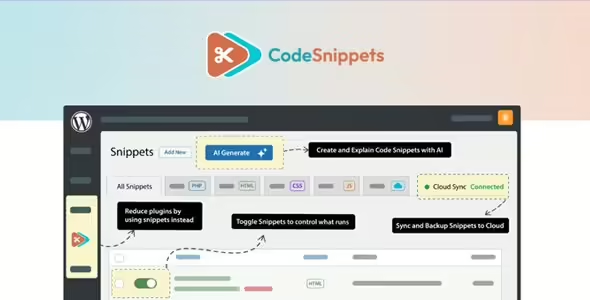
Code Snippets Pro 3.9.2 is a robust and secure code management solution that lets you customize your WordPress site without relying on extra plugins or child themes. It provides a clean interface for adding, organizing, and running PHP, CSS, HTML, and JavaScript snippets safely, making it an essential tool for developers, freelancers, and power users who want full control over website functionality.
With its advanced editor, cloud storage, tagging system, WP-CLI support, REST API access, and deep integration with builders like Elementor, Code Snippets Pro enhances workflow efficiency and reduces site clutter. It lets you store unlimited snippets, back them up, sync them across environments, and embed or display them anywhere on your site.
Key Features
- Import and export snippets between different WordPress sites
- Store unlimited snippets with organized, tag-based grouping
- Activate or deactivate snippets instantly for full execution control
- Tagging system for grouping similar snippet categories
- Elementor widget for displaying snippet source code
- Widget for embedding snippet content directly in Elementor layouts
- Run snippets inside the WordPress block editor
- Display code publicly using a dedicated editor block
- Advanced code editor with syntax highlighting and real-time error checking
- Free licenses for localhost, staging, and development environments
- Third-party integrations including Dynamic.ooo and ManageWP
- Community assistance plus dedicated ticket-based support
- Unlimited private cloud storage via Code Vault
- Download public snippets from the cloud platform
- Backup and sync unlimited snippets using private cloud storage
- WP-CLI support for automated snippet creation and management
- REST API access for programmatic snippet control and advanced integrations
Benefits
- Reduces plugin dependency: Implement custom functions without installing multiple add-ons.
- Safe customization: Run code snippets without editing theme or core files.
- Developer-friendly workflow: Syntax checking, REST API, and WP-CLI streamline development.
- Flexible embedding: Display snippets or execute them anywhere inside Elementor or Gutenberg.
- Centralized snippet management: Cloud syncing ensures snippets are backed up and accessible across projects.
Technical Details
Name: Code Snippets Pro
Version: 3.9.2
Platform: WordPress
File Type: Plugin
License: Available Version
Developer / Author: Code Snippets Pro Team
Important Notes
When adding PHP snippets, always test them in a staging environment first to prevent site errors. Avoid activating conflicting snippets that modify the same hooks or functions. For large development teams, use tagging and cloud syncing to keep snippet libraries consistent across multiple environments. If embedding snippets publicly, ensure sensitive code is not exposed.
Closing Summary
Code Snippets Pro 3.9.2 is a comprehensive snippet management system that empowers WordPress users to customize their websites safely and efficiently. With unlimited storage, cloud syncing, advanced editing tools, and deep builder integration, it’s the ideal solution for anyone wanting clean, organized, and high-impact custom code without modifying core or theme files.